How to play: Fenwick's Flips
This guide explains everything you need to know to play the game.
Overview
The game serves as a way of getting rid of any extra items that you have and no longer need. Professor Nell isn’t a big fan of just buying them off you, so she uses a memory-matching card game. You select items from your inventory to sell, then play a memory game to find matching pairs. When you complete the game, you receive Gold based on the items you chose.
Getting Started
Prerequisites
Before you can play, you need some items in your inventory. Collect items by playing World Explorer first. If you have no items to choose from, you’ll need to head to World Explorer and find some.
First-Time Playing
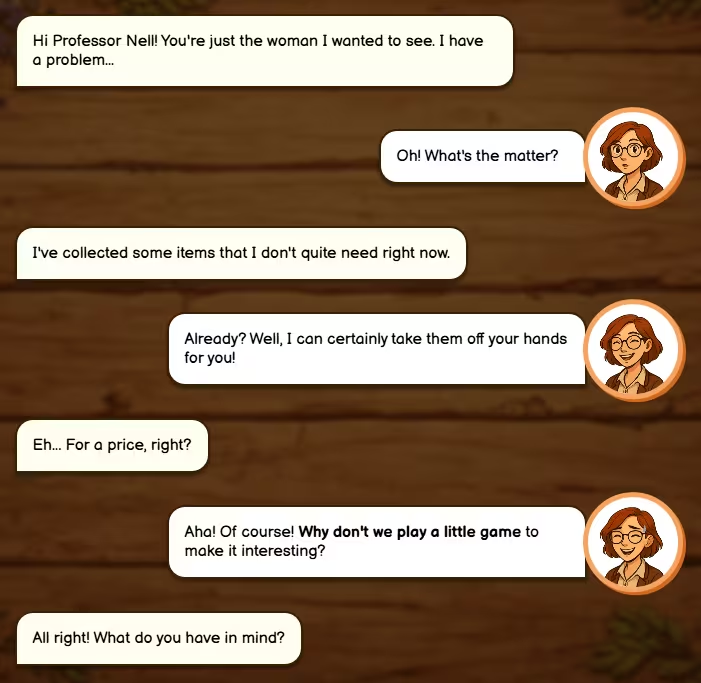
When you play for the first time, Professor Nell will introduce you to the game. She’ll explain that it’s a memory game she used to play when she was younger, and that you’ll be selecting items to get rid of in exchange for Gold. Tap or click to continue through the conversation.
Choosing Your Items
The Item Selection Screen
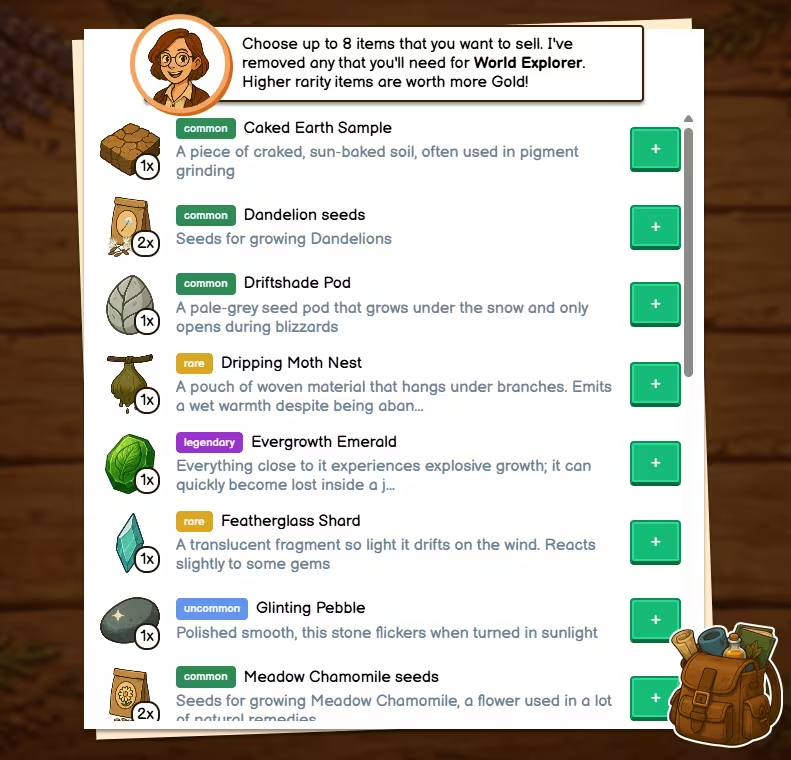
Before each game, Professor Nell will show you your inventory. Here, you can choose which items you’d like to sell.
- Choose up to 8 items. You can choose less if you want to, and this will make the game easier.
- Any items you need for your current World Explorer collection list are automatically removed. Don’t worry; you won’t accidentally sell something you need.
- Higher rarity items are worth more Gold.
- Choose unique items. You can choose more than one of the same item, but you won’t get any extra Gold for it
How to Select Items
- Browse your inventory. Each item shows its name, description, and rarity.
- Tap the + button next to an item to add it to your selection.
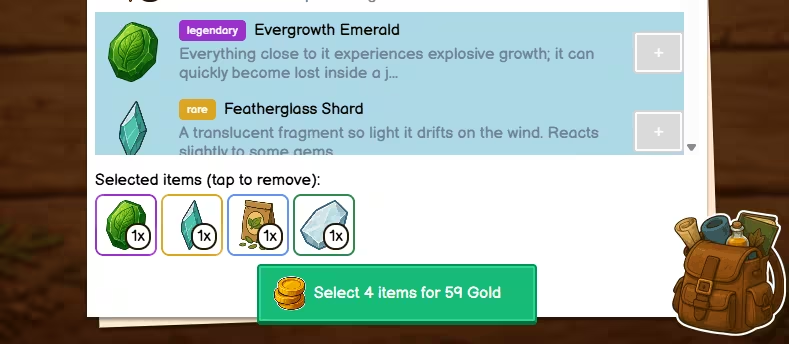
- Selected items appear in a row at the bottom. Tap a selected item to remove it from your selection.
- With each change, the button at the bottom will update to show you how much Gold you can get.
- When you’re happy with your selection, tap the button to confirm and start the game.
Gold Rewards by Rarity
| Rarity | Gold per unique item |
|---|---|
| Common | 6 |
| Uncommon | 9 |
| Rare | 12 |
| Epic | 25 |
| Legendary | 32 |
The more diverse and rare your selection, the more Gold you’ll earn.
Playing the game
The Board
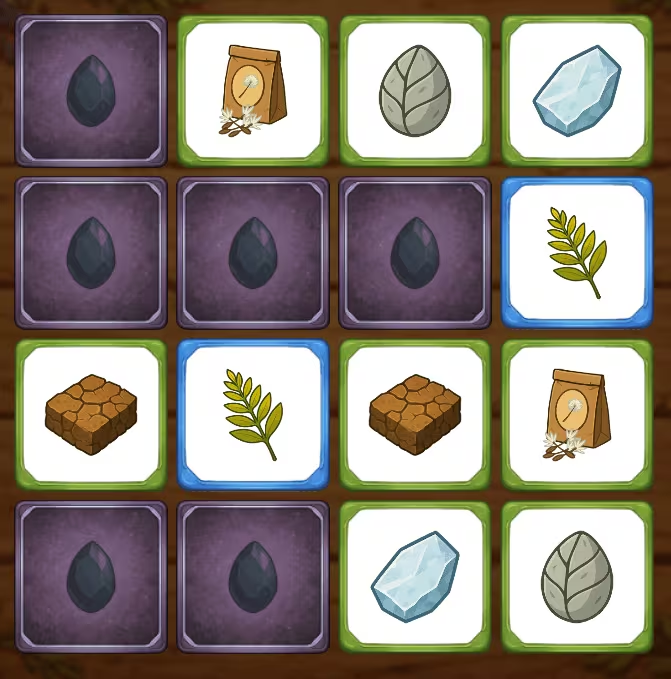
Once you’ve chosen your items, the game begins. A grid of face-down cards appears on the screen. Each card hides an item image. Every item has its pair - your goal is to find all the matching pairs.
What happens if I choose less than 8 items, or more than 1 of the same item?
In that case, pairs will be doubled up or more. This will make it easier to find those cards.
How to Play
- Tap or click a card to flip it over and reveal the item.
- Tap a second card to reveal another item.
- If they match - the pair stays face-up and you’ve found a match. Continue until all pairs are found.
- If they don’t match - both cards flip back face-down after a short delay. Try to remember their positions for your next turn.
- The game ends when all pairs have been matched.
Finishing the game
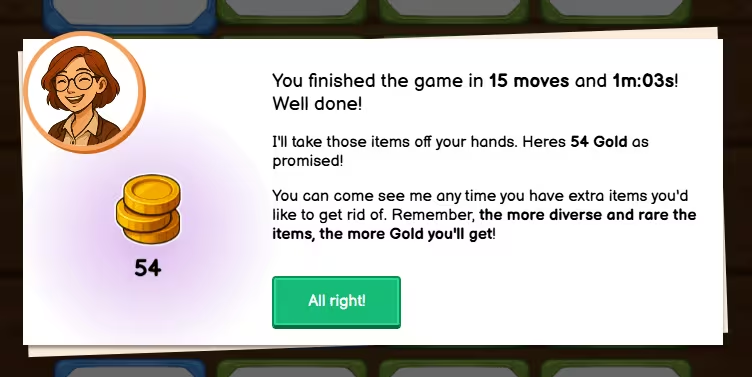
When you’ve matched all pairs, a results screen appears. Professor Nell will congratulate you and show:
- How many moves you took to complete the game
- How long it took (time-wise)
- Your Gold reward - the amount you earned based on your item selection
Tips
- Remember positions - When two cards don’t match, note where each item was. This will help you make matches more quickly.
- Fewer moves, same reward - Your Gold reward is based on the items you chose, not how many moves you take. But finishing in fewer moves is a nice personal challenge!
Earning More Gold
To maximise your Gold:
- Choose rarer items - Epic and legendary items are worth significantly more than common ones.
- Vary your selection - Each unique item type contributes to your total. A mix of rarities often works well.
- Collect in World Explorer - The more items you have, the more options you’ll have when selecting. Focus on rarer finds when exploring.
Troubleshooting
- “You have no items to choose from” - You need to collect items in World Explorer first. Head there and explore to find gems, creatures, food, seeds, and other items. Once you have items in your inventory, return to play.
- “You’ve already played today” - You can play once per day. Come back tomorrow for a new game. A new day typically starts at midnight.
- “That’s not the correct solution” - If you see this when finishing a game, there may have been a sync issue. Try refreshing the page and playing again.