How to find Notes
Professor Nell knows a lot about a lot of items - probably more than anyone else on GemWorld - but even she has to defer to Dr Thorne when it comes to creatures and gems.
As Dr Thorne is always out on one expedition or another - he can be a hard man to pin down - we often need to rely on finding notes in his camps, found in the wild in World Explorer.
What are notes?
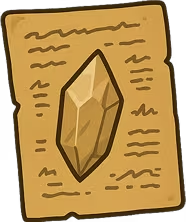
Notes are scraps of Dr Thorne’s field research that point you at a particular gem or creature. They are not really items in the same way anything else you find in World Explorer. Think of them as clues that unlock the proper Infodex page for whatever they are about.
Where they come from
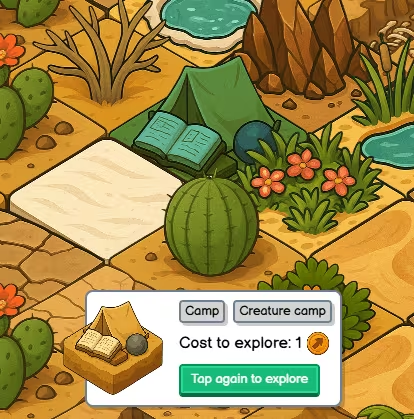
You get notes by exploring tiles on the map, same as anything else you might stumble on. In practice, Dr Thorne leaves them around his camps - those little camp markers in each biome - so if you are hunting clues, camp tiles are the places to prioritise.
Every day, Dr Thorne moves around on his expeditions and adventures. You’ll need to keep a sharp eye open, and once you do, don’t hesitate! Dr Thorne is notorious for jumping between subjects, so what he writes about one day isn’t the same as what he writes about the next day.
What happens when you find one
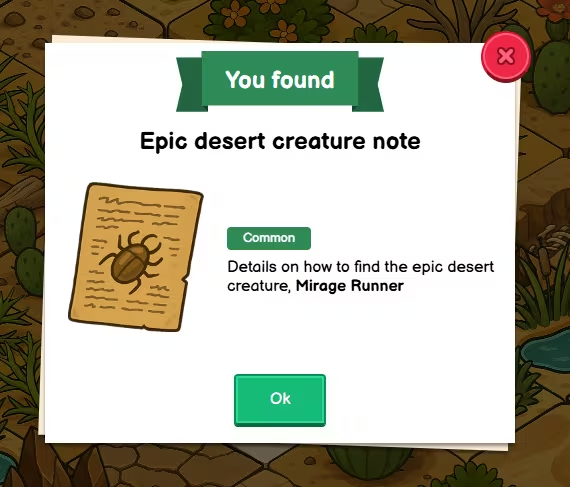
You’ll see a “You found” style pop-up with the note’s title, picture, and a short blurb on the creature or gem that the note describes.
When you hit Ok, the game will open up your Infodex so you can learn everything about the item and where to find it.
Your Inventory stays note-free
Notes do not appear in your inventory. Your Inventory only lists things you can carry and select - gems, food, seeds, oddities, and so on.
The note’s job is already done the moment you read it - it unlocks what you know in the Infodex about the linked gem or creature.
The Infodex does not have a notes tab
The Infodex is organised by categories - gems, creatures, food, etc. There is no separate tab for notes, as you don’t need them after they’ve unlocked the relevant page for you.
Why notes matter
- Creatures often need the right gem selected before they will show up on a tile. Until you know which gem, you are poking in the dark. Notes spell that out.
- Gems can be fussy about where they appear. The Infodex entry you unlock from a note tells you biome, terrain, and when you might find them - same as any other entry you have discovered.
Professor Nell’s collection lists sometimes request gems you cannot “just look up” without Dr Thorne’s paperwork - that is exactly what notes are for.